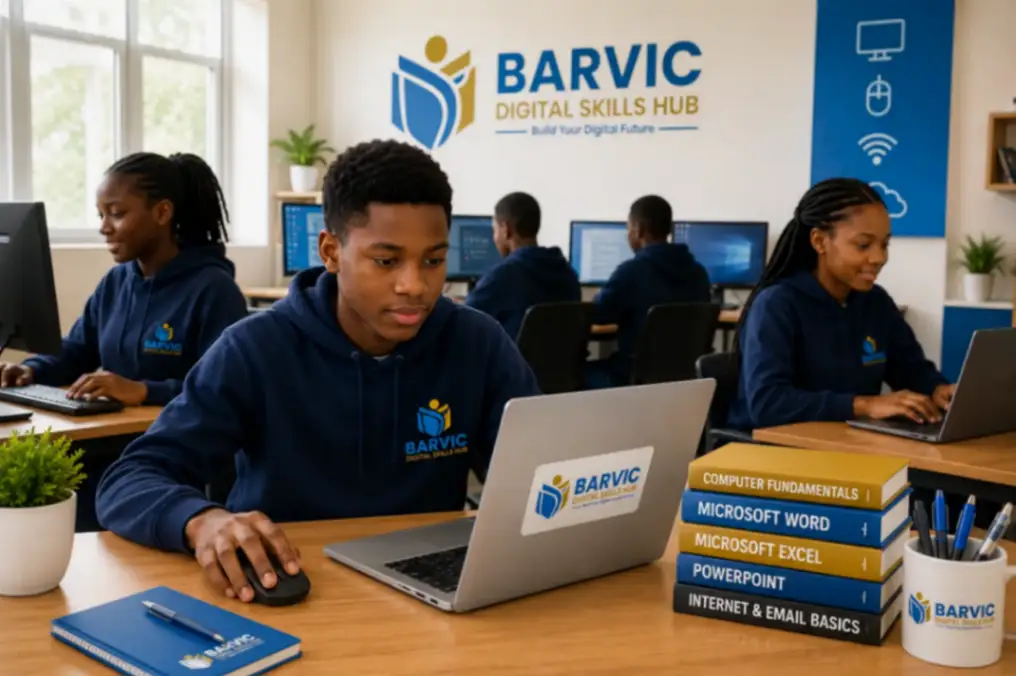
Computer Skills Every Student Should Learn in Kenya: A Complete Guide
- Barvic Digital Skills Hub
- 26/07/2026
Computer Skills Every Student Should Learn in Kenya
Technology is transforming education, workplaces, and everyday life. Whether students want to become doctors, engineers, teachers, entrepreneurs, designers, or software developers, computer skills have become essential for success.
Today, schools increasingly use digital platforms for learning, assignments, communication, and research. Employers also expect graduates to be comfortable using computers and digital tools.
For parents and educators, one question has become increasingly important:
What computer skills should every student learn?
This guide explores the essential computer skills every learner in Kenya should develop to succeed in school, support Competency-Based Education (CBE), and prepare for future careers.
Why Computer Skills Matter
Computer skills are no longer limited to ICT lessons.
They support learning across every subject and help students become more confident, independent, and productive learners.
Students with strong computer skills can:
- Research information efficiently
- Complete assignments digitally
- Create presentations
- Communicate professionally
- Collaborate with classmates
- Solve problems using technology
- Adapt to new digital tools
These abilities continue to benefit learners long after they leave school.
10 Essential Computer Skills Every Student Should Learn
1. Basic Computer Operations
Every learner should understand the fundamentals of using a computer.
This includes:
- Turning a computer on and off safely
- Using a keyboard and mouse
- Managing files and folders
- Installing and opening applications
- Saving and organizing documents
These basic skills provide the foundation for all future digital learning.
2. Typing and Keyboard Skills
Fast and accurate typing improves productivity.
Students who develop good keyboard skills complete assignments more efficiently and communicate more effectively using digital devices.
Regular practice also builds confidence.
3. Word Processing
Students should know how to create professional documents using applications such as:
- Microsoft Word
- Google Docs
Important skills include:
- Formatting text
- Inserting images
- Creating tables
- Using page layouts
- Exporting documents as PDF
These skills are useful throughout school, university, and employment.
4. Spreadsheets
Spreadsheet applications help students organise and analyse information.
Learners should understand how to:
- Enter data
- Create tables
- Use basic formulas
- Generate simple charts
- Organise information clearly
Applications include Microsoft Excel and Google Sheets.
5. Presentation Skills
Students regularly present ideas in class.
Learning presentation software such as Microsoft PowerPoint or Google Slides enables learners to communicate information clearly using text, images, charts, and multimedia.
Presentation skills also build confidence in public speaking.
6. Internet Research
Finding information online is an essential academic skill.
Students should learn how to:
- Use search engines effectively
- Identify reliable sources
- Compare information from multiple sources
- Avoid misinformation
- Reference digital resources appropriately
These skills encourage critical thinking and responsible learning.
7. Email and Digital Communication
Professional communication begins early.
Students should know how to:
- Write professional emails
- Attach files
- Organise messages
- Participate in virtual meetings
- Communicate respectfully online
Good communication skills prepare learners for higher education and future employment.
8. Online Safety and Digital Citizenship
Responsible technology use is just as important as technical ability.
Students should understand:
- Strong password practices
- Privacy protection
- Cybersecurity basics
- Responsible social media use
- Recognising online scams
- Respectful online behaviour
These skills help learners stay safe while using digital technologies.
9. Basic Coding and Computational Thinking
Computer skills extend beyond using software.
Learning coding introduces students to logical thinking, creativity, and structured problem-solving.
Students may begin with beginner-friendly platforms before progressing to programming languages such as:
- HTML
- CSS
- JavaScript
- Python
Coding helps learners understand how technology works rather than simply using it.
10. Artificial Intelligence Awareness
Artificial Intelligence is becoming part of education and everyday life.
Students should understand:
- What AI is
- How AI can support learning
- Responsible use of AI tools
- Ethical considerations
- AI-powered productivity tools
Understanding AI prepares learners for a rapidly changing digital world.
How Computer Skills Support Competency-Based Education (CBE)
Competency-Based Education encourages learners to apply knowledge in practical situations.
Computer skills help learners develop competencies such as:
- Communication
- Collaboration
- Critical thinking
- Creativity
- Problem-solving
- Self-directed learning
- Digital literacy
Technology allows students to demonstrate these competencies through projects, presentations, research, and collaborative activities.
Benefits of Learning Computer Skills Early
Students who begin developing computer skills early often experience several advantages.
Better Academic Performance
Technology enables learners to research, organise, and present information more effectively.
Greater Confidence
Students become comfortable exploring new technologies and solving digital challenges independently.
Improved Creativity
Digital tools allow learners to create presentations, websites, graphics, videos, and other innovative projects.
Stronger Problem-Solving Skills
Many computer-based activities require logical thinking and systematic problem-solving.
Future Career Readiness
Computer skills have become valuable across almost every profession.
Early exposure gives learners a strong foundation for future education and employment.
How Parents Can Encourage Computer Skills at Home
Parents play an important role in supporting digital learning.
They can:
- Encourage educational technology use
- Allow children to complete simple digital projects
- Promote responsible internet use
- Explore digital learning resources together
- Celebrate curiosity and creativity
- Encourage consistent practice
Learning is most effective when school and home work together.
How Schools Can Strengthen Computer Skills
Schools can improve learners' computer skills by:
- Integrating technology into everyday lessons
- Providing structured digital literacy programmes
- Establishing coding clubs
- Introducing Artificial Intelligence concepts
- Offering project-based learning
- Training teachers in educational technology
These initiatives help learners build practical skills while supporting Competency-Based Education.
How Barvic Digital Skills Hub Helps Learners
Barvic Digital Skills Hub provides structured digital skills programmes designed to help learners progress from basic computer skills to advanced technology competencies.
Our programmes include:
- Computer fundamentals
- Productivity tools
- Internet safety
- Coding and programming
- Artificial Intelligence
- Graphic design
- Digital marketing
- Project-based learning
- Progress tracking through the Barvic Learning Management System (LMS)
Our goal is to help learners become confident, creative, and responsible users of technology while preparing them for future opportunities.
Frequently Asked Questions
What are computer skills?
Computer skills are the abilities needed to use computers, software, and digital technologies effectively for learning, communication, research, and problem-solving.
Why are computer skills important for students?
Computer skills help students perform better academically, develop digital confidence, communicate effectively, and prepare for future careers.
What is the difference between computer skills and digital literacy?
Computer skills focus on using digital devices and software, while digital literacy includes critical thinking, online safety, responsible technology use, communication, and digital problem-solving.
At what age should students begin learning computer skills?
Children can begin learning basic computer skills during primary school and gradually progress to coding, Artificial Intelligence, and advanced digital technologies as they grow.
Are computer skills part of Competency-Based Education?
Yes. Computer skills support many competencies promoted under Kenya's Competency-Based Education, including communication, collaboration, creativity, and digital literacy.
Prepare Learners for a Digital Future
Computer skills have become essential for success in education and the modern workplace. By helping learners develop these skills early, parents and schools equip them with the confidence, creativity, and practical knowledge needed to thrive in an increasingly digital world.
At Barvic Digital Skills Hub, we are committed to helping learners build these competencies through structured programmes, hands-on learning, and meaningful mentorship.
Ready to Build Essential Computer Skills?
Contact us today to discover how Barvic Digital Skills Hub can help your child or school prepare for the future through practical digital skills education.
Explore Programme Details